
kolu — the terminal, done right
Keep the Mac.
Run agents on Linux.
Real terminals. Real agents. A real machine.
The window onto a headless box.
Your Mac is slow for agents, especially the filesystem. A headless box isn't, and it stays up. Keep the Mac as the window: a real app in the macOS launcher, talking to kolu running on the box. Real terminals on an infinite canvas —claude, codex, opencode, grok,pi, xyne, omp, or anything you run in a shell.
Free and open source (AGPL-3.0). Self-hosted — no account, nothing to sign up for.
attention
See who needs you.
The dock mirrors every terminal — repo, agent, and how long it has been waiting. When an agent asks a question, a pinned Needs-you strip surfaces it, however deeply its tile is buried.
Notifications & attention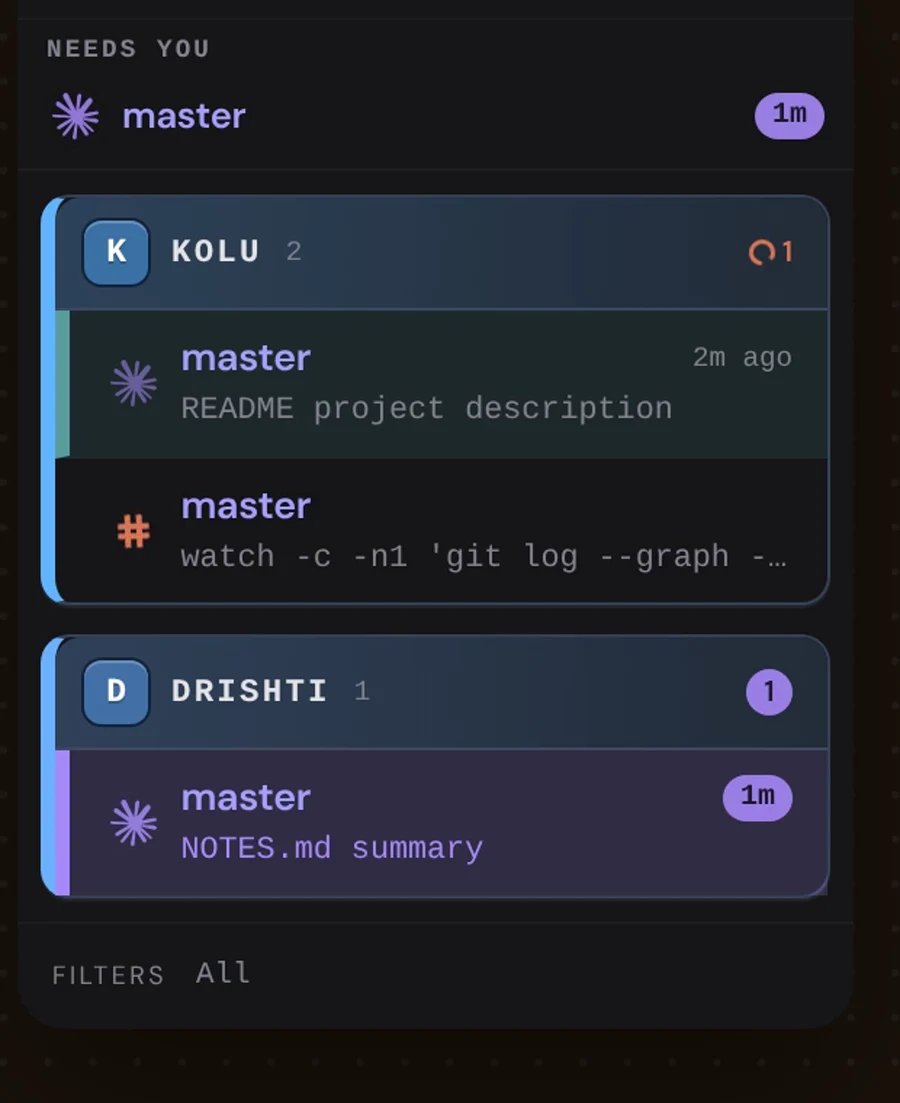
act
Answer it right there.
Click the waiting agent, maximize its tile, approve — the question, your answer, and the work that follows all happen in the same place. No tab-hunting across a dozen terminal windows.
Running agent fleets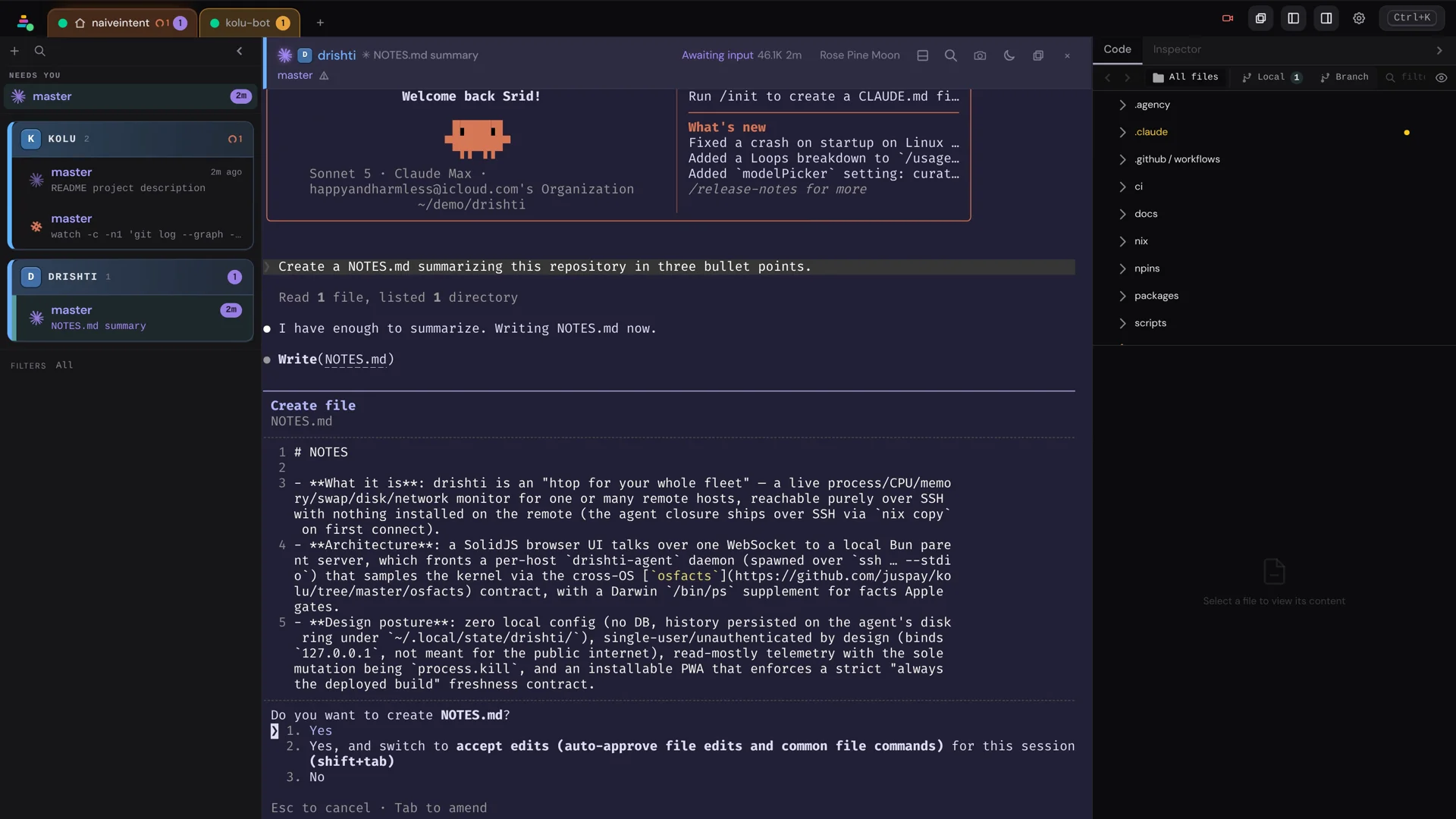
review
Comment on code. The agent acts.
Select a line in the built-in code browser and leave a note, like reviewing a PR. Hand it to the agent in one paste — and watch the open file update itself the moment the edit lands.
The Code tab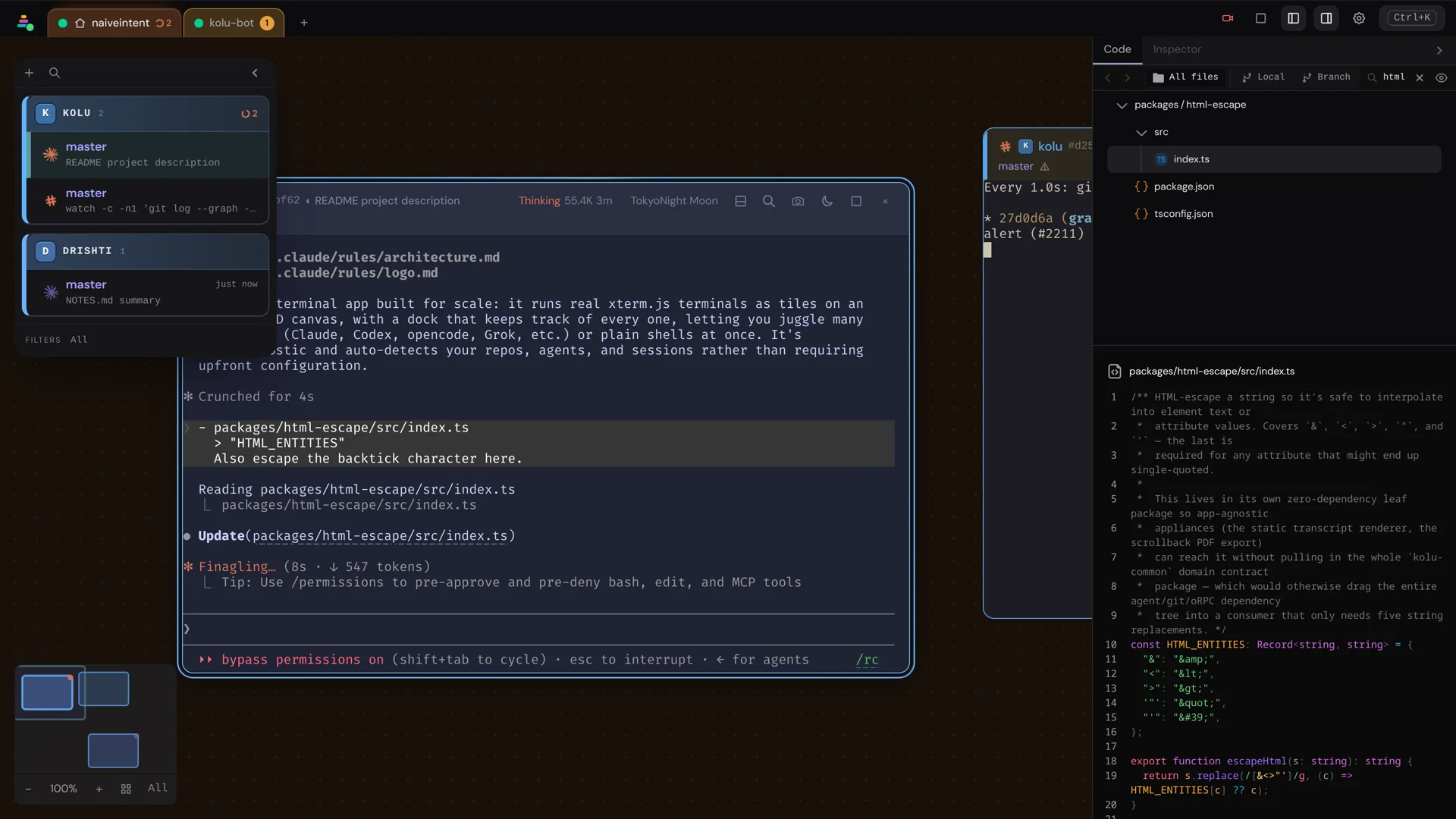
machines
Another machine is one tab away.
Add a host over ssh and the whole canvas switches to it — terminals, agents, and attention included, with nothing installed on the far end beyond Nix. Your fleet is every machine you have.
Remote hosts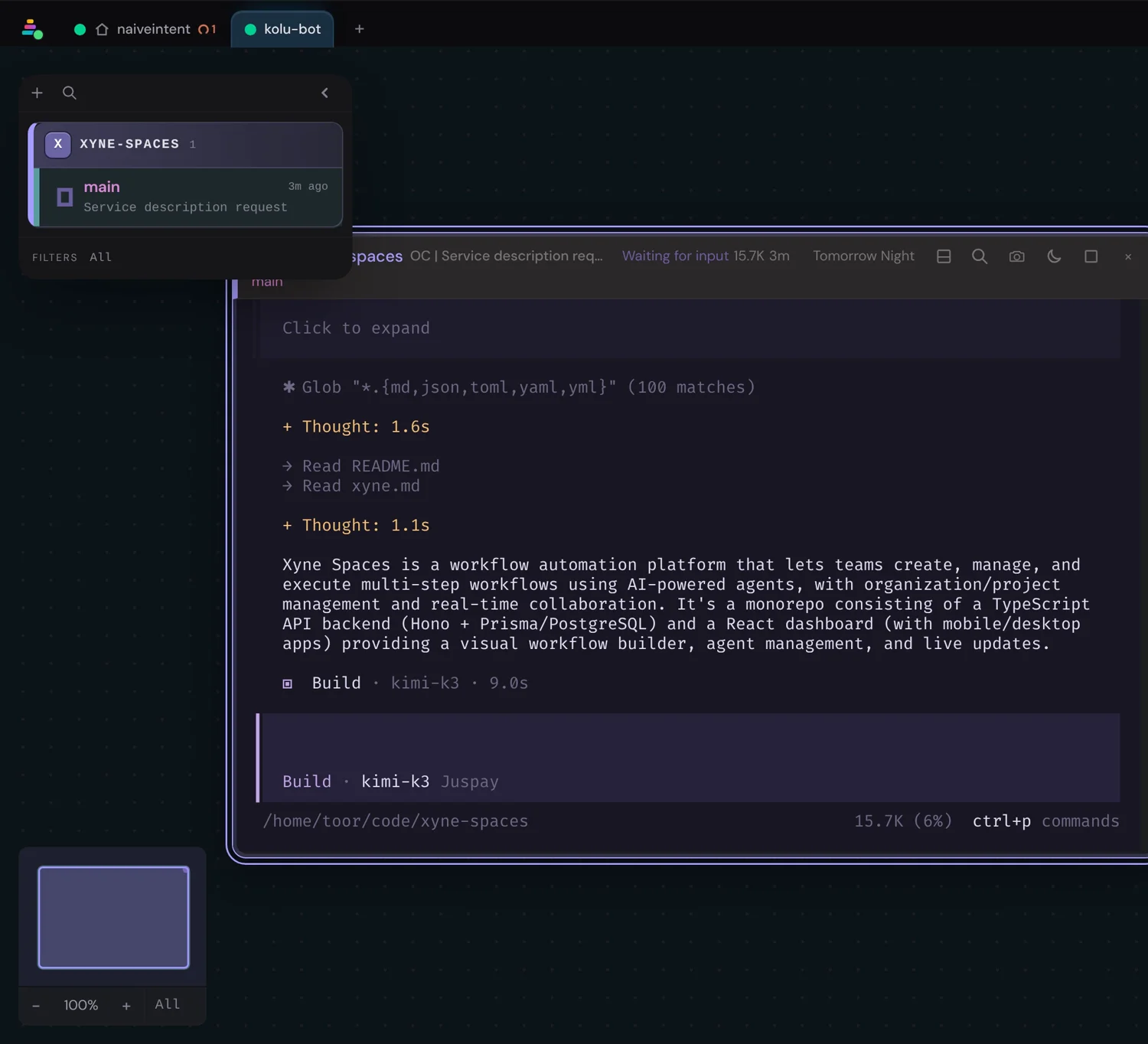
start
Two ways in.
Try it on the machine in front of you, or run it on Linux and open it from a Mac as an app. That second path is the one the product is built around.
the shape
Mac is the window. Linux is the computer.
There is no Linux desktop to remote into. Kolu is a website the headless box serves. You open that URL on the Mac and pin it as an app.
The five-step setupBuilding on the stack? Architecture · Surface
from the blog
all posts →Effect, everywhere
Kolu deleted zod, oRPC, partysocket, hono and @preact/signals-core and now runs end-to-end on Effect 4. What the stack looks like today — RpcGroups on the wire, schemas that carry their own types and errors, daemons booting through Layer graphs — and why a codebase written mostly by coding agents wants exactly this.
read →