
first run
Open a repo, launch an agent.
The whole point lands in one move: open a repository and start an agent in its own tile. Kolu watches what you do, so setup is mostly just using your shell.
-
Open search.
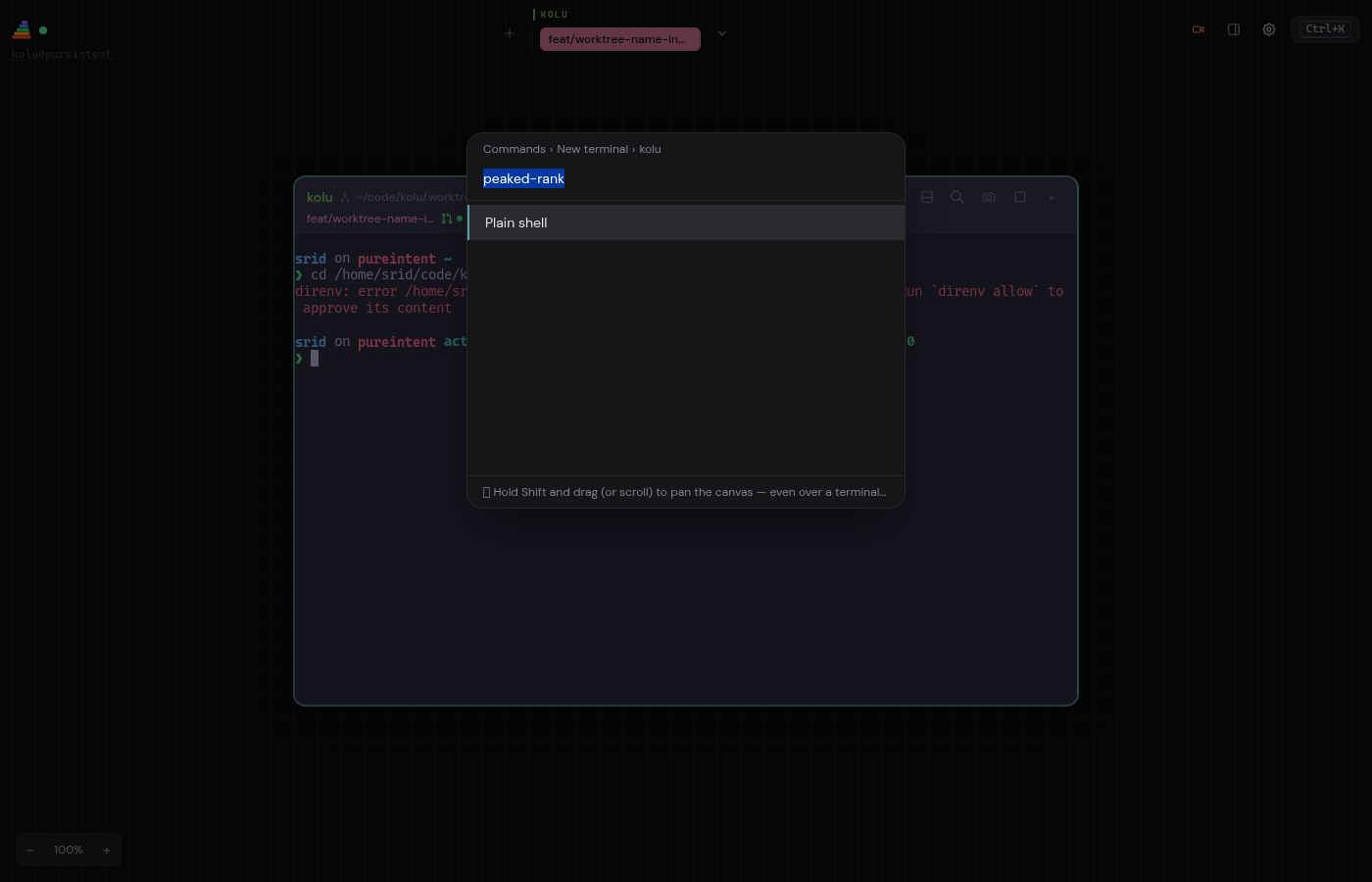
Press Cmd/Super + K. This is kolu’s one search box for terminals, hosts, commands, themes, and shortcuts. Type a branch or machine name to jump there.
-
Drill into New terminal → your repo.
Recent repos appear automatically because kolu tracks the directories you
cdinto. Pick one and the worktree-name step opens with a generated name. -
Pick an agent, or hit Enter for a shell.
Any agent CLI you have run before, such as
claude,codex, oropencode, appears as a launch option. Choose one and kolu creates a fresh worktree and launches the agent in one step. -
Watch the dock.
The dock is the list of terminals on the left. The row pulses while the agent is working and changes when it is waiting on you, so a glance tells you who needs attention even across many tiles.
Worktrees are the parallel-work model
Each terminal you create in a repo is backed by its own git worktree, so several branches can be checked out side by side without stashing or re-cloning.
- Press Cmd/Ctrl + Shift + Enter to open the New terminal menu directly.
- The worktree name you type becomes the branch name and shows verbatim on the dock row.
- Branch, PR number, and CI status come from each terminal’s working directory.
- You can run several agents on several branches at once; the dock keeps them distinct.
The words for what you just used — canvas, tile, dock, worktree — are on Core Concepts.