
another computer
Your terminals,
on other machines.
Kolu can put terminals from other machines right on your canvas. A remote
host’s terminals are first-class tiles — same Code tab and file
preview, same paste, same session restore — just running on that
host over ssh. The canvas shows one host at a time; a host row lets you switch
which host you’re looking at — a strip in the top bar on desktop, and a row in the
pull-down chrome sheet on a phone — and switching swaps the whole canvas live,
with no reload. Each host keeps its own arrangement, so you@box looks the same
from your laptop, your desktop, or your phone.
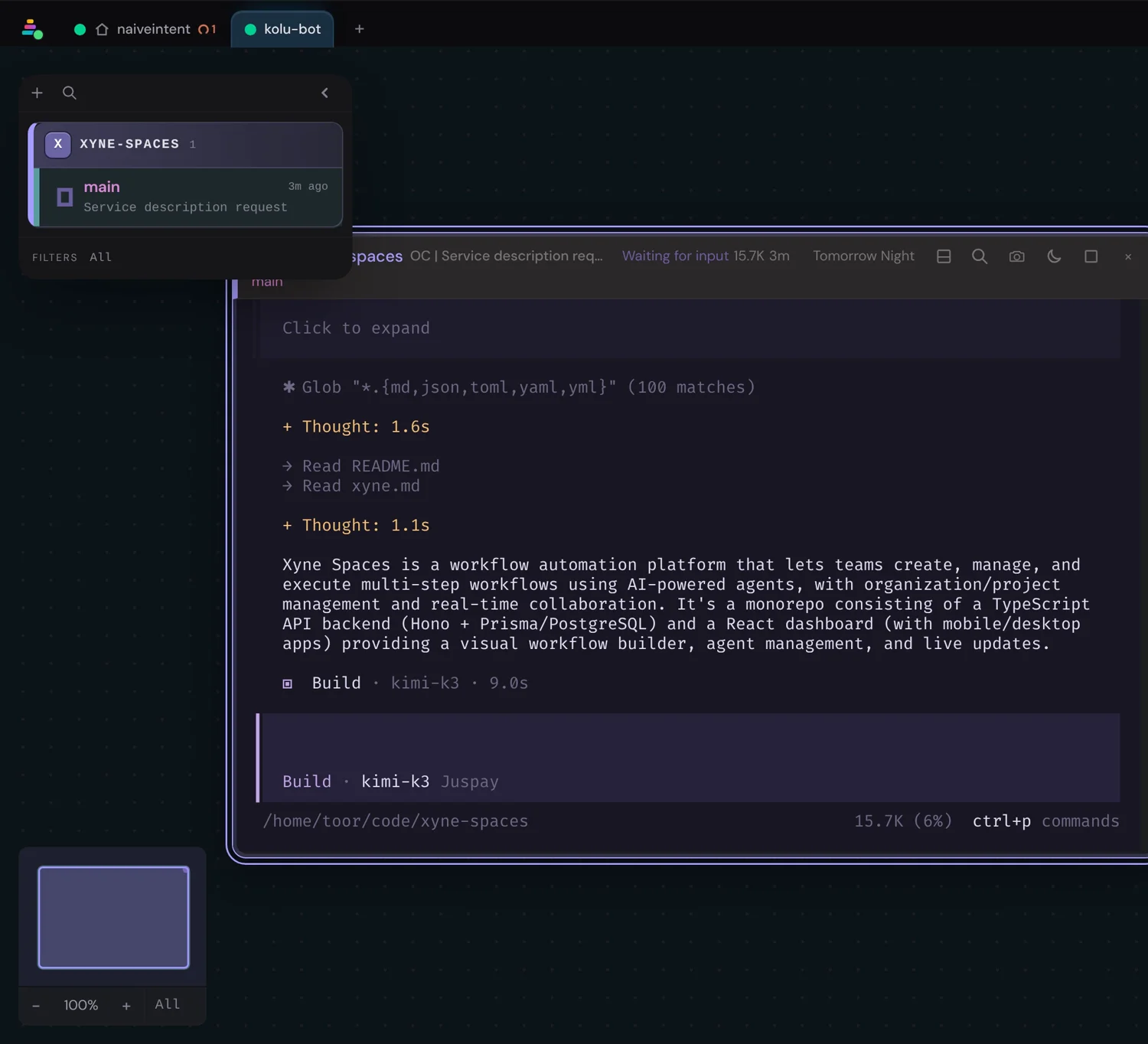
This is the other direction from From another device (and from From a Mac): those pages are about reaching the kolu app. This page is about kolu reaching another machine over ssh, once the app is already running.
Prerequisites
Passwordless ssh
You can ssh to the host without typing a password — an ~/.ssh/config alias
or a user@host that just connects. kolu dials non-interactively, so if the
host asks for a password, or its key isn’t verified yet, the connection stops
with a card that names which one and how to fix it.
Nix on the remote
The host has Nix installed — kolu provisions
padi there with Nix over ssh. It must be runnable from a
non-interactive ssh session, not only from a login shell. Make your user
trusted by its nix-daemon (trusted-users) too: kolu then copies padi’s
binaries from this machine instead of the host building them itself.
A Nix-wrapped kolu
Launch kolu through its Nix wrapper, which bakes in its exact agent source. On first contact, kolu asks the host for its CPU/OS pair and resolves only that padi build — Linux and macOS, including cross-arch (a macOS kolu can bind a Linux box).
Add a host
The + add affordance on the host row is always present — you don’t have to set anything to reach it. It opens an ssh-target box — an anchored popover on desktop, a full-width section inside the pull-down sheet on a phone. What you type is added to the pool as a chip, and the canvas jumps to it. Your local host is always the first, unremovable chip. Two formats work:
- an
~/.ssh/configalias —zest - a
user@hostdestination —srid@zest
A host you add is remembered: it comes back on the host row after a kolu restart and reconnects on its own, so you build your fleet once rather than re-adding it every launch. The only way a host leaves your fleet is your explicit remove — a host that has since gone away comes back as a failed chip with the reason, never silently dropped.
Typing a bare loopback spelling — localhost, 127.0.0.1, or ::1 — maps to
your existing local host instead of minting a duplicate chip. (user@localhost is
not deduped: ssh-ing to the loopback as a different user is a genuinely different
session, so it’s treated as a real remote.)
Pre-seed hosts at launch (optional)
Hosts you add from the host row already persist across restarts (above), so you
rarely need this. Reach for it when you want a host present declaratively —
a scripted launch, a shared dev box, a fresh profile with no saved fleet yet:
seed KOLU_PADI_HOST with a comma-separated list of ssh targets:
KOLU_PADI_HOST=localhost,you@box koluThat puts your local host (always first) plus each remote in the pool at boot. With nothing set and nothing added, the pool holds only your local host — a single local chip — with the + add affordance always beside it, ready to connect a machine.
First connect — provisioning over ssh
The first time you switch to a host that has never run padi, kolu provisions it over ssh: one Nix operation evaluates the exact agent, transfers what the machine needs, and realises it there. A cold provision can take minutes — mostly the transfer, plus working out which agent to send. You don’t install anything on the host by hand.
Where the bits come from depends on how kolu itself was installed. Run as a
service through the home-manager module, kolu already holds every agent
closure it can send: the installed generation carries them, so the transfer
starts immediately and the host never compiles the daemon, even with no
binary cache in
reach. Launched with nix run or a plain nix profile install, kolu fetches
the agent from the cache first, and falls back to building it when the cache
doesn’t have it yet.
What arrives is the daemon plus the command-line tools a terminal on that host
needs — kaval-tui, padi-tui, and kolu itself. Terminals kolu opens there
have them on $PATH and $PADI_SOCKET already set, so an agent working on the
remote machine can drive its sibling terminals and use the MCP
server immediately — again with nothing installed by hand. Because the
tools ride the same closure as the daemon, they are always the same build as the
padi they talk to.
The coding agents do not ride that closure. With AI coding agents on, the first time a host is used the host downloads them itself from agent-distro’s binary cache into its own Nix store; nothing is copied over ssh. The host’s tab shows the download and says when it has landed; what a host needs, and what to do when a download fails, is on that page (When a download fails). It never compiles agents.
Each host is a tab: local is a Home icon plus the machine hostname kolu is running on; remotes show the ssh target. Every tab carries a connection pip so link health is always visible:
| on the tab | meaning |
|---|---|
| Home + hostname | this machine (local) |
user@host | a remote ssh target |
| green pip | the whole chain is live — kolu reaches this host and its terminal daemon is serving |
| amber pip (pulsing) | connecting or provisioning — coming up |
| amber pip, “kaval down” | kolu reaches the host, but its terminal daemon is not serving. padi restarts it for you; the tooltip carries the daemon’s own verdict |
| red pip + struck label | failed — open diagnostics for the real error and retry |
The pip reports the whole chain (kolu → this host’s padi → its kaval), not just the first link. A host you can reach whose terminal daemon is dead is not green: that combination is the one that used to read as healthy while nothing would run.
Click the connection pip for the diagnostics popover — connection state, terminal and awaiting counts, padi·kaval detail, remove-with-confirm. The label (Home or hostname) only switches hosts; diagnostics is never hover-opened.
Switch hosts, and per-host canvases
Click a chip to make that host active — the whole canvas switches to it live, no reload, bindings staying warm server-side. From the keyboard, type a host name in ⌘/Super+K (hosts are first-class root results in the switcher), or press ⌘⇧H (Ctrl+Shift+H elsewhere) — or the search icon in the host bar — to deep-link into the scoped host list; pick a host and the canvas switches. Once a tab has switched at least once, that list opens with the machine you came from already highlighted, so ⌘⇧H then Enter hops back and forth between two machines without your reading the list at all. The host strip stays as ambient status (connection dots, per-host attention counts) — glanceable without opening anything. Each host owns its own canvas: its terminals, splits, and focused tile are restored as you left them when you switch back. Switching away doesn’t tear a host’s work down; it keeps running on that host. If the active host ever leaves the pool, kolu switches you back to local and says so.
A tab also carries that host’s attention summary, so a machine you’re not looking at can tell you it needs you without your switching to it first — the same three counts, in the same colours, as everywhere else in kolu; see Notifications for what each one means and when it clears. Clicking the violet count jumps to the agent that’s waiting, switching host on the way. Attention reaches you the same way on every host: a background machine’s agent that finishes or starts waiting chimes and pops a notification just as the active machine’s does. An installed PWA surfaces the awaiting count as an app-badge and notifications across all your hosts.
Switching back to a host you’ve already visited is instant: kolu keeps each visited host’s canvas state — selection, camera, saved sessions, activity, and the Code tab’s reads (open file content, git status, and diff) — warm in memory, so a switch-back has nothing to reload. The switcher is different: it keeps a lightweight fleet index (terminal keys + metadata, not PTY bytes) live for every connected pool member, including hosts you have not opened yet, so ⌘/Super+K can jump cross-host without waiting for a first visit. Only the host you’re viewing gets a live on-screen renderer (its terminals’ WebGL/DOM canvases), which re-attaches in a blink when you switch back — kolu does not hold a live canvas per background host. Browser memory therefore scales with that retained per-host view state, the fleet metadata index, and the number of connected hosts — not with a full canvas for every host. If a multi-host session feels heavy, see kolu is using a lot of memory.
When a host is down
If a host’s padi can’t bind, its canvas is replaced by a card that names the cause in plain language and offers two actions — Reconnect (a real re-dial, once you’ve cleared the cause) and Switch to local (the always-available escape hatch).
When the failed attempt produced any output, the card shows the last lines of it beneath the cause — the same running log the canvas shows you while a host is coming up, kept where it is most useful. The line just above that output is the error that stopped the attempt, in the words of the tool that hit it: for a failed Nix build, Nix’s own error and the last thing the build printed (say, a download that was refused) — never just an exit code. Those lines travel with the failure itself, not alongside it — so they survive a browser whose connection to kolu has gone quiet (a laptop that slept, a tab left open on flaky wifi): you get the reason and its evidence together, or the card simply shows no output block, which now means the failure printed nothing. The same tail appears on the host tab’s diagnostics popover, so you can read it without leaving the host you’re on.
The causes it distinguishes:
| card | what happened |
|---|---|
| Another kolu owns this host | a different kolu supervisor already holds this host’s padi |
| This host runs an older kolu | the remote padi speaks an older contract and refused to bind |
| This host runs a kolu from before the protocol change | the padi there speaks a protocol epoch this kolu can’t query; kolu tried to take it over and couldn’t. Update that machine’s kolu (or stop the padi there), then reconnect — retrying alone won’t help |
| This host needs passwordless ssh | the host asked for a password. kolu connects non-interactively and never types one — set up key-based access (ssh-copy-id), then reconnect |
| This host isn’t trusted yet | ssh doesn’t recognise the host’s identity key. Run ssh <host> once in a terminal to review and accept it — or clear a changed-key warning — then reconnect |
| This host has no Nix that kolu can run | ssh worked, but the host’s shell couldn’t run nix-instantiate. Either Nix isn’t installed there, or it isn’t on the PATH of a non-interactive ssh session |
| Connecting to this host kept stalling | a step of connecting — the ssh link, a copy, a build — went quiet for too long, too many times. The detail names the step: usually the machine is asleep or off the network, or a download stalled |
| Kolu couldn’t set up this host | the host answered, but bringing padi up there kept failing — a Nix build, or the agent refusing or dying before it started. The detail is the error that stopped it |
| This kolu run is missing its agent source | kolu wasn’t launched through its Nix wrapper, so it has nothing to deploy |
| Kolu couldn’t prepare padi for this host | kolu couldn’t work out which padi build the host needs: the host’s Nix failed to report its CPU/OS pair (or printed something that isn’t one — often a shell startup file writing to stdout), or the baked source couldn’t resolve padi for it. The detail shows the error |
| This host’s padi never settled | a contract upgrade’s drain never provably finished |
A related — but distinct — card covers the host’s kaval: if the machine carries a kaval that speaks an incompatible wire contract (an outdated build a plain restart provably cannot fix — restarting respawns the same binary), the canvas says so with both versions (“this host’s kaval speaks 5.0, your kolu needs 5.2”) and offers Update & restart kaval behind a confirm: it re-provisions the host’s build and starts a correct-version kaval. The same verdict shows in the kaval dialog and on the host chip — the one badge that also flags an ordinary “newer build available”.
Port forwarding
A dev server on a remote host is running on that machine’s loopback, and
loopback never leaves the machine it is on — so http://127.0.0.1:5173 in your
browser means your laptop, which is the one machine that certainly isn’t
running it. kolu closes that gap: click the port and it opens a door, then opens
the tab.
Ports show up on their own. The Inspector’s Ports section lists what each terminal is serving — read from the host’s own socket table, not scraped from output — so the thing an agent just started is one click away instead of somewhere up the scrollback.
How a click becomes a page
kolu reads the port’s bind address and picks the mechanism; there is no guessing and no configuration.
| where the server listens | what kolu does | what opens |
|---|---|---|
| a remote host, on loopback | ssh -L over a connection of its own | http://<the kolu host>:<port> |
| kolu’s own machine, on loopback | a plain TCP relay | http://<the kolu host>:<port> |
| kolu’s own machine, all interfaces | nothing — it already answers | http://<the kolu host>:<port> |
| a remote host, one specific interface | nothing it can do | the row says “not reachable” |
That last row is the honest one. A port bound to a single named interface of a remote machine answers at that address and nowhere else, and neither mechanism reaches it — both connect to the far side’s loopback. kolu says so rather than offering a button that would fail.
Whenever it can, kolu gives you back the same port number you asked for, so the URL is predictable and a link you saved keeps working across a restart. When that number is already taken on the kolu host, the row shows the one you got.
Managing open doors
A forwarded port is one row wherever it appears, carrying a teal ⇄ :<port>
pill that names where it answers, a copy button for the full address, and a ⨯
that closes the door. You’ll find those rows in three places — the Inspector’s
Ports list, the host tab’s dropdown, and the tab’s connection dot, which
wears a thin teal ring while that host has doors open.
Each row also names the terminal serving that port, and the name is a link: click it and you land on the agent that started the thing.
A door onto a server no terminal holds — one you opened by hand, one whose server has since died, one onto a server running elsewhere on the machine — sits in the Ports list under elsewhere on this host, and stays visible while that group is folded: a door belongs to the machine, not to whichever terminal you happen to be looking at.
-
Open one by clicking. Any port row that needs a door offers forward & open. Doors open lazily — only for ports you actually click — and close themselves when the scanner sees the listener die.
-
Or forward a port kolu never saw.
⌘/Super+K→ Forward a port…, thenhost:port(or just a port, for the host you’re looking at). Useful for a port kolu’s scan cannot see — another user’s service on a host whose socket table hides it — or when you want a door that no scan may close. -
Close it when you’re done.
⨯on the row. A forward you asked for by hand stays until you cancel it or its host leaves — there is no listener for kolu to watch on your behalf there.
Everything dies with the kolu server, guaranteed by the kernel rather than by a timer, so a deploy or a crash never leaves an orphaned door open.
A printed localhost URL uses the same door
Agents constantly print http://localhost:5173/ (and 127.*, [::1],
0.0.0.0). In your browser that hostname is the wrong machine — the laptop
you are reading kolu from, not the host running the server. Click a loopback URL
in the terminal and a small card appears at the cursor: when anything on the
host is listening on that port — in this terminal, in another one, or a server
that detached from all of them — it says which and offers forward & open
(and copy), with the printed path carried through the door; only when nothing on
the host listens there does it say so, instead of inventing a forward from text. ⌘/Ctrl-click opens the raw URL with
no card. Non-loopback links keep the usual open behaviour.
The card is live — leave it open while a server starts and it upgrades the moment the listener is real. Printed text never creates a port fact of its own; it only looks up what observation already established. The Inspector’s Ports section documents the same card from the tile side.
Known limitations
A kolu remote terminal is an ssh session — not the machine’s GUI login session. A class of tools that “just work” in the box’s own terminal lean on that GUI session, so they behave differently over the bind. The following follow from that; each is ssh reality, not a kolu bug, but you’ll meet them here first.
| symptom you see | why | remedy |
|---|---|---|
On macOS, gh reports The token in default is invalid | gh keeps its token in the login Keychain, unlocked only for the GUI session | a $SSH_CONNECTION-guarded GH_TOKEN (a scoped fine-grained PAT), or security unlock-keychain, or gh auth login --insecure-storage |
git push / clone fails Permission denied (publickey) | your keys and ssh-agent live in the local session, not the ssh one | keep a key on the host, or forward your agent with ssh -A — confirm with ssh-add -l |
pbcopy / pbpaste, launchctl, desktop notifications do nothing | these are GUI-session services; an ssh session runs in a different session context | run them from the box’s own terminal; for launchctl name the domain: launchctl print gui/$(id -u) |
a command is “not found”, locale warnings, missing $PATH | ssh starts a leaner login shell; GUI-launcher PATH isn’t inherited | put PATH/locale in the rc both shells read (~/.zshrc); check with echo $PATH and locale |
This table grows by incident: every future “works in my local terminal, breaks over a kolu remote host” report earns a row — symptom, one-line cause, remedy. If you hit one that isn’t here, that’s the signal to add it.